Job Definitions UI
Job definitions let users save a batch prediction job as a template, then run it on demand or on a schedule. Before them, scheduled batch scoring meant writing against the API; the form went to public beta in DataRobot 7.1 (June 2021) and became generally available in 7.2 (September 2021).
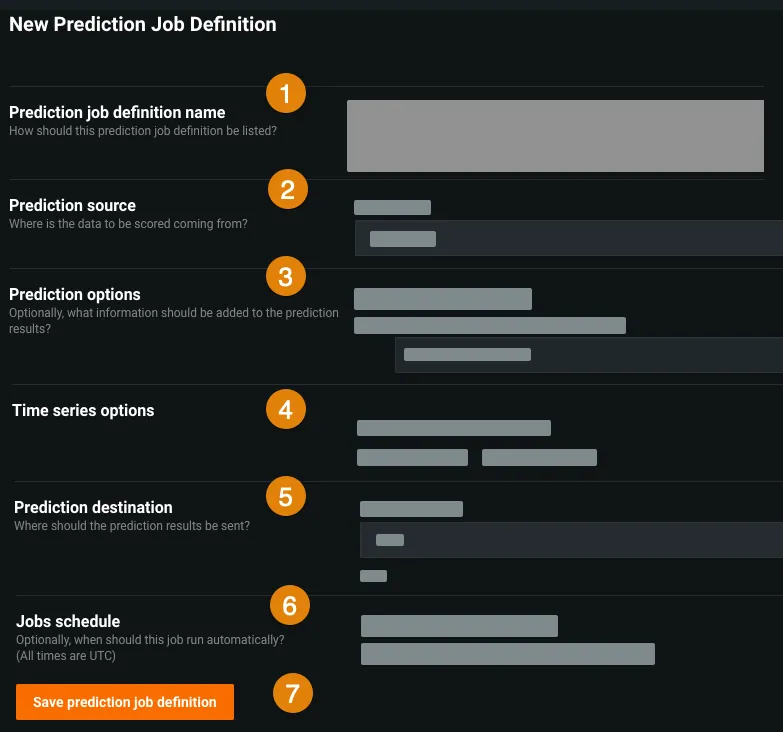
A definition holds a name, a prediction source, prediction options, time series options where the model needs them, a destination and a schedule. Source and destination are chosen independently from the AI Catalog, S3, Azure Blob, Google Cloud Storage, Snowflake, BigQuery, Azure Synapse or a JDBC connection, so a job can read from one and write to another.
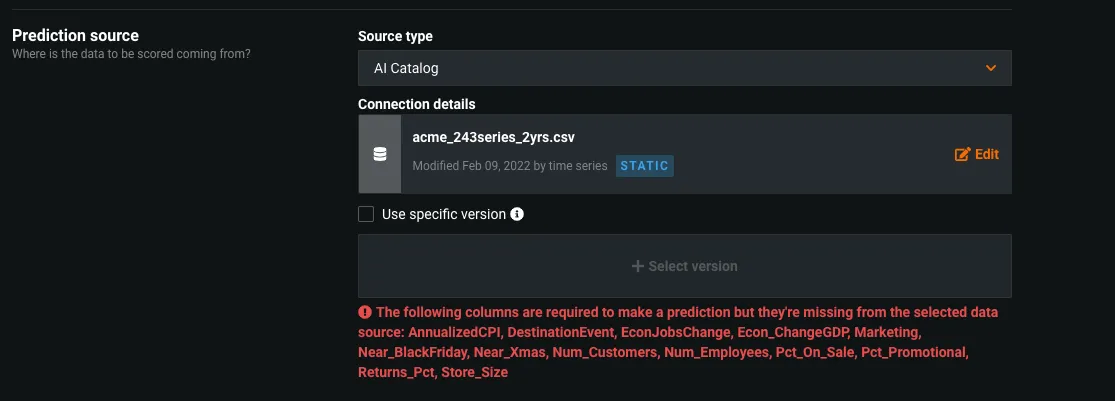
Fields auto-fill from the deployment and validate in place, so problems surface while the definition is being written rather than on a scheduled run: pick a dataset that lacks columns the model needs, and the form names the missing columns.
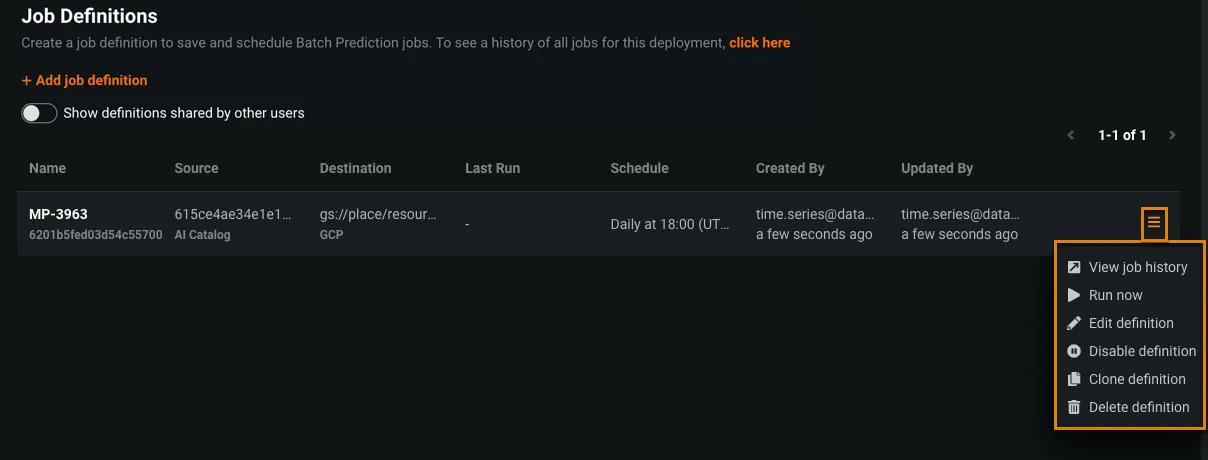
Schedules range from a daily or hourly preset to a full cron-style expression. From the list, a definition can be run now, edited, disabled, cloned or deleted. A clone copies source and destination but starts with its schedule off, so duplicating a job never doubles its runs by accident.
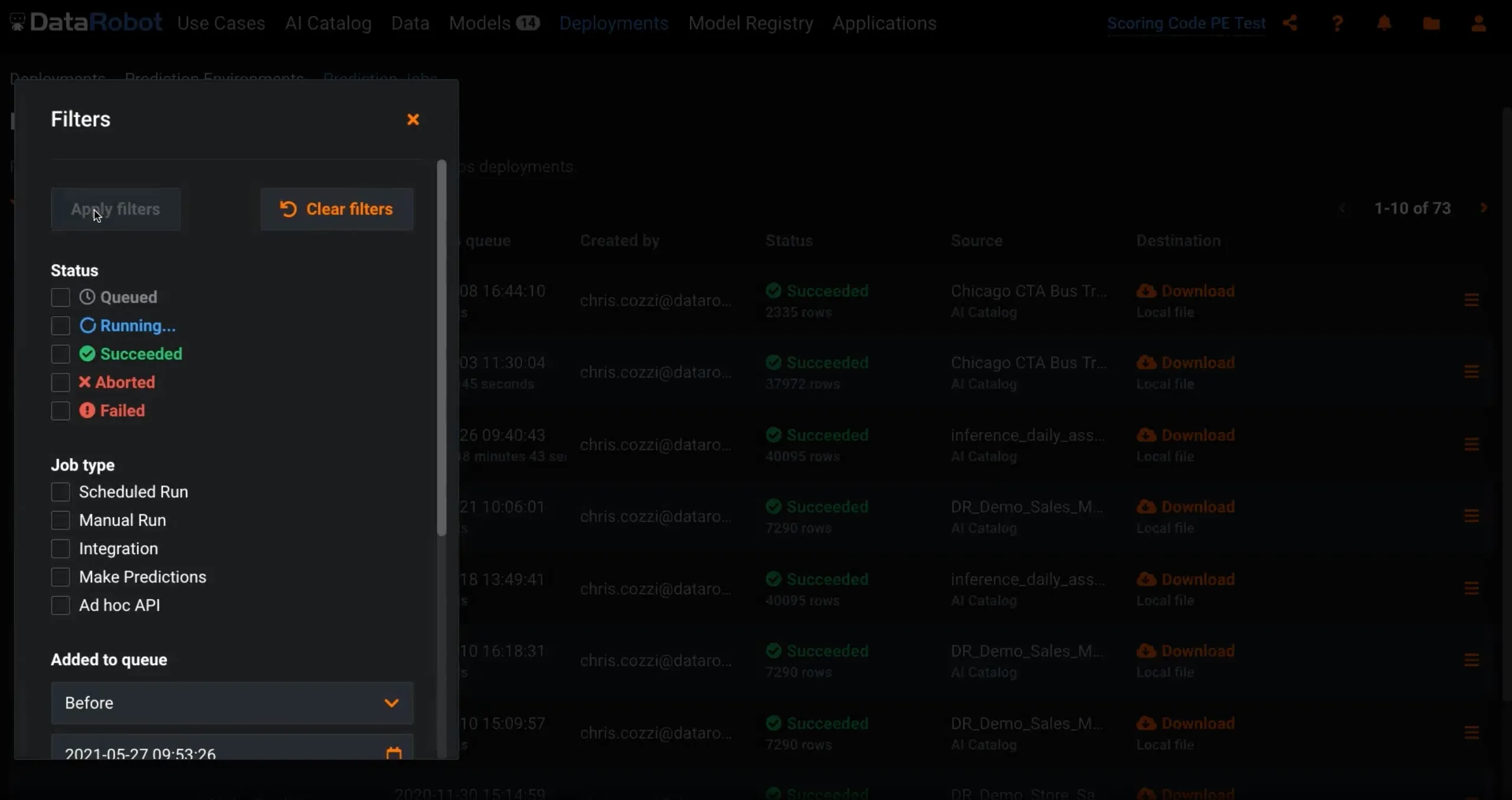
Each run of a definition is a prediction job, which can be filtered by status, type and queue time and followed in real time. When a job aborts, the reason is logged on the job itself.